Tools to Promote Literature
Create a Site of Post-its Using Wallwisher
  |
What is it?
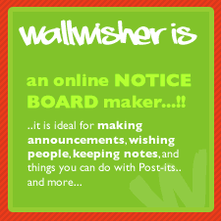 Image from www.wallwisher.com How you can use it:
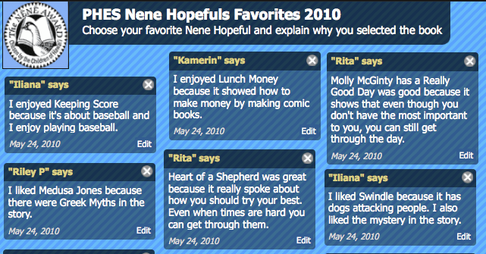
Students can post students book recommendations or quick evaluations of books. |
|
Create your own video slideshow at animoto.com. |
Animoto
What is it?
This software helps you create slideshows of pictures and videos. It allows you to add title slides, music and backgrounds to your projects. How you can use it: Students can create slideshows of pictures they've created about books. Librarians can upload recommended book covers to play on websites. |
 |
Author & Book Trailers
What is it?
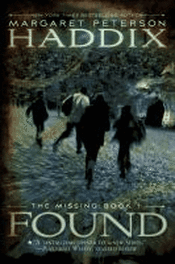
Students are familiar with movie trailers, and book trailers are equally exciting for them. Browse the sites below to find the authors/books you want to feature. Copy the embed code or video link and post it on your web page. Click on Found to watch the Scholastic Book Trailer. How you can use it: Book Trailers pique students' curiosity and extend their understanding of the author's purpose and the text. Once students have viewed some book trailers, they could create their own as an assessment. Book Trailers for Readers Barnes & Noble Digital Book Talk Scholastic Book Screening |
Make an Electronic Book Shelf with
|
What is it?
Library Thing is an online service that helps people "catalog" their favorite books, find other great titles, and connect with fellow book lovers. Create a free account at Library Thing and you can then make "shelves" of picture books, fiction and more. You may write reviews, "talk" to others about books, join groups categorized by favorite authors or titles, and see what events are happening locally in your area. Users can "catalog" up to 200 books with the free account. How you can use it: Librarians can create shelves of "new books" or books on a specific topic or theme that could be shared school-wide from the library website or shared on a wiki for a specific class project. Just as you create physical book displays in the library for holidays or award winning books, you could create an electronic book shelf. During Banned Books week, create a shelf of the 100 most banned titles. To prep for Teen Read Week, ask students to nominate their favorite titles and create an electronic shelf of "student favorites." Older students could create accounts and create shelves with their favorite books. To embed the Nene Hopefuls 2011 Library Thing on your site, copy and paste this embed code: <div id="w845f06f5ee28b2c5b384b572ca333107"></div><script type="text/javascript" charset="UTF-8" src="http://www.librarything.com/widget_get.php?userid=colte&theID=w845f06f5ee28b2c5b384b572ca333107"></script><noscript><a href="http://www.librarything.com/profile/colte">My Library</a> at <a href="http://www.librarything.com">LibraryThing</a></noscript> Sample Library Thing Page |

The Book Seer--find your next book
.
|
What is it?
Enter the title and author of your favorite book and The Book Seer will recommend other titles you might also like. Lists are pulled from Amazon and Library Thing. The Book Seer makes recommendations for fiction and nonfiction, chapter and picture books. How can you use it? Post it on your Destiny Home Page or library site so students can enter their favorite author & title and find other books, similar to that one, that they might enjoy. Copy the picture and link it to the site: http://bookseer.com/ |
